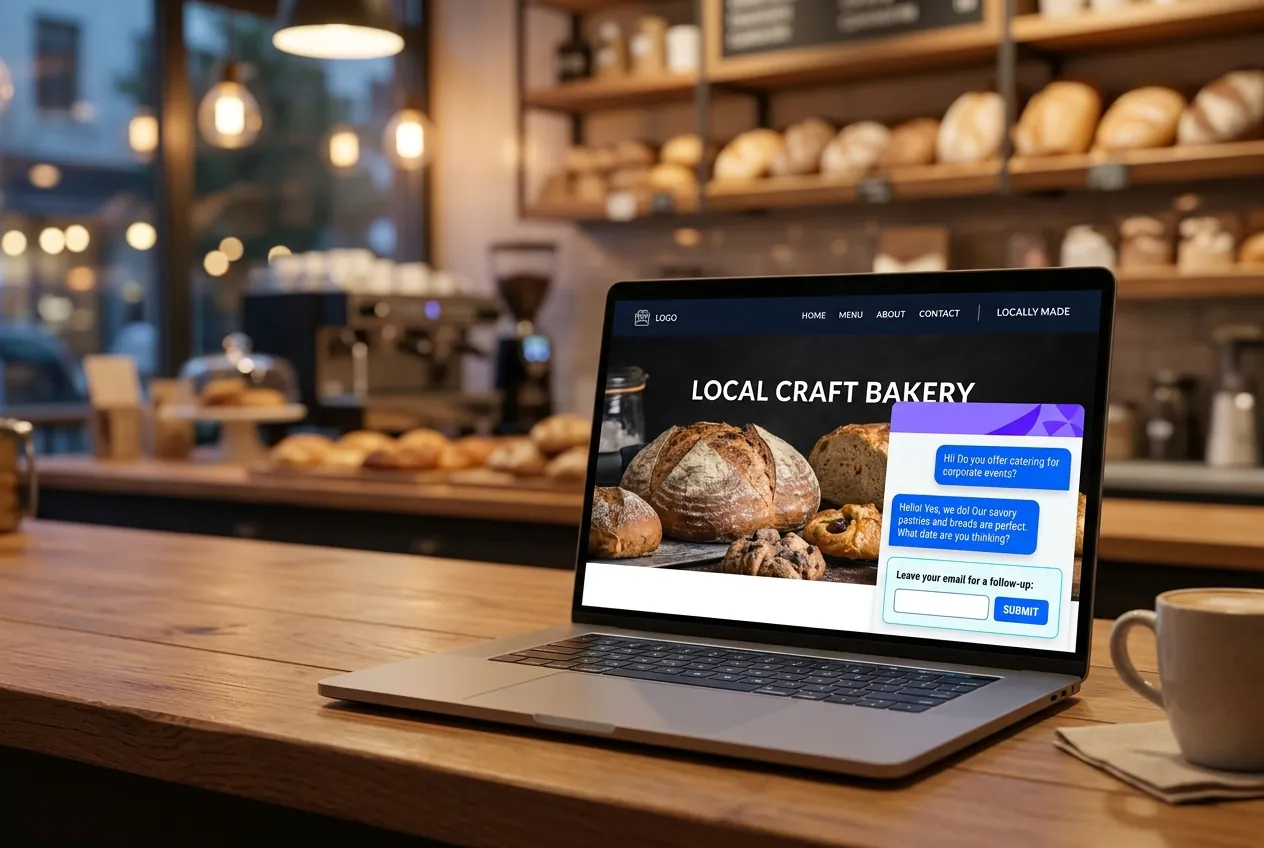
An AI chatbot for a small business website is a chat window that answers visitors' questions using that business's own information: its web pages, policies, price lists and FAQs. When it can't answer, it can collect contact details so someone can follow up. It suits businesses that get the same questions again and again, have useful information spread across their site, or have visitors browsing when nobody is around to reply.
It isn't a magic sales machine and it doesn't replace people. This guide walks through where it genuinely helps, where it doesn't, what it costs, how to estimate whether it's worth it for you, and how to roll one out without embarrassing mistakes.
Why small business websites lose enquiries
Few small businesses lose customers because their website looks dated. They lose them in small moments of friction that are easy to overlook:
- Unanswered questions. A visitor wants to know whether you do same-day appointments. The answer isn't obvious, so they check the next result in Google.
- Hard-to-find service information. The details exist, but they're split across a services page, a PDF brochure and a blog post from 2022.
- Repetitive enquiries. Your inbox fills with the same five questions, each taking a few minutes to answer, and you answer them slightly differently every time.
- Confusing navigation. Menus that made sense when the site had six pages stop making sense at forty.
- Visitors outside opening hours. People research in the evening and on weekends. A contact form promising a reply "within one business day" loses some of them.
We won't put a number on how many sales that costs, because it varies enormously by industry and nobody can honestly give you a universal figure. You can check your own situation, though: read the last fifty emails and messages you received and count how many asked something your website already answers.
Seven practical uses of AI chatbots for small business websites
The examples below assume a chatbot that answers only from the business's own content and offers a follow-up when it can't help. That's how ScoutBot AI works, and the safest way to use this technology.
1. Online shops
Typical questions: "Do you ship to Hawaii?", "Can I exchange a gift?", "What's the difference between the 500 and 750 model?" Answers usually live in shipping, returns and product pages. A chatbot pulls them together in one reply with a link, which can reduce the "where is it written?" emails. It can't see live order status unless it's connected to your order system, and ScoutBot AI isn't, so don't promise that.
2. Home service businesses
Plumbers, electricians, cleaners and landscapers hear the same questions constantly: service area, call-out fees, emergency availability, licensing. With those facts written on the site, a chatbot can answer them at 10 pm. Exact quotes still need a person, so collecting the visitor's email with their question is the useful outcome here.
3. Hotels and hospitality
Check-in times, parking, breakfast, pets, accessibility, cancellation terms: hospitality runs on policy questions. Guests often ask while comparing options, so a fast, accurate answer matters. Keep seasonal information current, because an old breakfast time is a guaranteed complaint.
4. Professional service businesses
Accountants, lawyers, clinics and consultants get process questions: "What do I need to bring?", "Do you offer remote appointments?", "How do your fees work?" A chatbot can explain published processes. It should be explicitly told never to give advice on the client's individual situation, and to route those questions to a person.
5. Local service providers
Salons, gyms, tutors, repair shops and studios field questions about opening hours, holiday closures, prices and booking. This is where after-hours answers make the most sense, because the information is simple and stable.
6. Marketing and web agencies
Agencies can use a chatbot on their own site to answer questions about packages, timelines and process. They can also set one up for clients as part of a website project. In that case, be clear about who maintains the content, since a client's outdated page becomes the agency's problem.
7. Consultants and independent businesses
For a one-person business, every hour spent answering "what's included in your package?" is an hour not billed. A chatbot that answers from your service descriptions and passes serious enquiries to your inbox can protect focus time, provided you check the leads it collects.
What makes an AI chatbot valuable to a small business?
Four things determine whether a chatbot earns its place on your site.
Accessibility of information. Visitors ask in their own words and get a direct answer instead of a list of pages. This only works if the answer exists in your content.
Consistency. The same question gets essentially the same answer every time, drawn from the same source, unlike five slightly different email replies written on five busy days.
Visitor experience. A chat window should be easy to open, easy to close and readable on a phone. Accessibility guidelines such as WCAG apply to chat widgets just as they do to the rest of your site, so check keyboard use and contrast.
Enquiry handling. The real value often shows up in questions it can't answer. If those turn into follow-up requests with an email address and the original question attached, you've turned a dead end into a lead.
AI chatbot vs. FAQ page vs. contact form vs. live chat
These tools complement each other more than they compete. Here's a balanced comparison.
| Advantages | Limitations | Best used for | |
|---|---|---|---|
| AI chatbot | Answers natural questions instantly, at any hour, from your own content. Can collect follow-ups. | Only as good as your content. Needs testing and occasional review. Usage limits apply. | Repeated factual questions spread across many pages. |
| FAQ page | Free, fully under your control, good for SEO and easy to scan. | Only covers questions you anticipated. Visitors still have to find and read it. | The top 10 to 20 questions. It's also excellent chatbot source material. |
| Contact form | Simple, captures details, and every request reaches a person. | Slow for simple questions, and visitors wait for a reply. | Quotes, bookings and anything needing judgement. |
| Live chat with staff | Human judgement and empathy in real time. | Needs someone available. Expensive to cover evenings and weekends. | High-value sales conversations and complex support. |
A sensible setup for many small businesses is a good FAQ page, an AI chatbot that answers from it and the rest of the site, and a contact path for everything else.
What to look for when choosing an AI chatbot
- Affordable, understandable pricing. You should be able to work out your monthly bill before you sign up.
- Predictable usage limits. Know how many responses are included and what happens at the limit: does it stop, slow down or charge extra?
- Easy installation. A copy-and-paste snippet that works with your website builder, and ideally a way to confirm it's live.
- Website and document sources. Your answers are probably split between pages and PDFs.
- Reliable, grounded answers. Answers drawn from your content, ideally with source links, and an honest "I don't know" when the answer isn't there.
- Handling of unknown questions. A clear fallback instead of an improvised answer.
- Contact capture and human follow-up, with visitor consent, so the questions it can't answer still reach you.
- Privacy and data handling. Where content is processed, who can see visitor data, and how to delete it. If you serve visitors in the EU, note that the EU AI Act's transparency rules require people to be informed when they're interacting with an AI system, as these obligations phase in.
- Customization: name, colours, welcome message and tone, so it feels like your business.
Our step-by-step guide on how to add an AI chatbot to your website using your own content turns these criteria into a detailed checklist.
What website AI actually costs
Chatbot pricing is confusing because vendors measure usage differently. These are the common models:
- Flat monthly subscription. A fixed price with a fixed allowance. Easy to budget, but check the allowance.
- Message or response limits. You pay for a number of AI replies per month. One long conversation might use several.
- Conversation-based billing. You pay per chat session, regardless of length.
- Usage-based billing. You pay for what you use, sometimes per token. This is flexible, but harder to predict.
Beyond the subscription, count your own time: the initial setup and testing, plus reviewing conversations and updating content each month. That ongoing time is the real cost of owning a chatbot, and it's the same whichever tool you choose.
For reference, ScoutBot AI uses a flat plan. ScoutBot Starter is $7.77 per month and includes one chatbot, one website domain, up to 25 indexed pages, up to 5 documents and 300 AI responses per month. When the monthly allowance is used up, the chatbot stops generating new AI answers until it renews; you aren't charged extra. New accounts get 20 free trial responses to test with. We haven't listed competitors' prices because they change often; check each vendor's current pricing page.
Is a website chatbot worth it? A simple way to estimate
You can get a rough sense of value with one formula:
Monthly hours spent on repeat questions = repeated enquiries per month × average minutes per reply ÷ 60
A hypothetical example, not a customer result: a cleaning company receives about 80 repeat questions a month (service area, prices, what's included), each taking about 4 minutes to answer. That's 80 × 4 ÷ 60, or about 5.3 hours a month. If a chatbot could handle half of those, around 2.7 hours would be freed, minus the time spent reviewing it.
Be honest about the limits of this estimate:
- Not every repeat question will be answered well, especially at the start.
- Some visitors will still email, and some prefer to talk to a person.
- The formula ignores visitors who never contacted you because they couldn't find an answer, which is real but hard to measure.
- It doesn't include the review time, which you should budget for.
After a month of real use, swap the estimate for actual numbers: questions answered, questions left unanswered, follow-up requests received and the emails you no longer get.
A practical implementation checklist
- Collect your 20 most common customer questions from email, phone and reviews.
- Make sure each one has a clear, current answer somewhere on your website or in a document.
- Remove outdated pages and documents, or update them.
- Set up the chatbot's name, welcome message, tone and colours.
- Add your website and documents as sources and confirm they were indexed.
- Write instructions: what it should never do (quote custom prices, give advice) and how to hand over.
- Test with the 20 questions, plus a few it shouldn't answer.
- Turn on follow-up capture and decide who replies, and how quickly.
- Install the widget and confirm it works on desktop and mobile.
- Review conversations and unanswered questions weekly for the first month, then monthly.
When NOT to use an AI chatbot
Sometimes the simpler tool is the right one:
- A clear FAQ page is enough when you have a short, stable list of questions and a small site.
- A contact form is better when nearly every enquiry needs a custom quote or a conversation.
- A human conversation is essential for sensitive topics such as complaints, health, legal matters or anything emotional.
- Wait if your website content is thin or outdated. Fix the content first, or the chatbot will repeat the problems faster.
The risk of getting this wrong is real. In 2024, a Canadian tribunal held Air Canada responsible for incorrect information its website chatbot gave a customer about bereavement fares (Moffatt v. Air Canada, 2024 BCCRT 149). Businesses are generally accountable for what their website tells customers, whoever or whatever writes it. That's a strong argument for grounded answers, careful testing and honest fallbacks.
How ScoutBot AI fits into this workflow
ScoutBot AI is a website assistant built for this exact use case. You connect your website and add documents or pasted text. ScoutBot answers visitor questions from that content, with links to the source pages when available. When it can't answer, it offers an email follow-up with a consent checkbox, and the question lands in your leads inbox, where you can track status, add private notes and draft a reply.
It deliberately doesn't do some things: no live human chat, no connection to order or booking systems, and no unlimited usage. If you need those, a different tool will suit you better. If what you need is a branded, affordable assistant that answers from your own website and catches the questions it can't, it's worth testing with the free trial responses.
Frequently asked questions
What is the best AI chatbot for a small business website?
There's no single best option. It depends on your content, budget and whether you need features like live chat or system integrations. Look for answers grounded in your own content, clear pricing and limits, easy installation, a fallback for unknown questions and a way for a person to follow up. Test two or three tools with your real customer questions before committing.
Can a chatbot help a small business answer questions outside opening hours?
Yes. That's one of the most practical uses. A chatbot can answer factual questions from your website at any time and collect contact details for anything it can't answer, so you can follow up when you're back.
Can a chatbot be trained on my company's website?
Yes. Tools like ScoutBot AI fetch your public pages and index the text, then look up relevant passages when a visitor asks something. You can usually add documents and pasted text for information that isn't on the website.
Is an AI chatbot expensive for a small business?
It doesn't have to be. Prices range from free tiers to several hundred dollars a month, depending on usage and features. ScoutBot AI's Starter plan is $7.77/month for 300 AI responses. Remember to count your own time for setup and review.
Can a chatbot capture customer enquiries?
Many can. ScoutBot AI offers visitors an email follow-up form when it can't answer, with a consent checkbox. The visitor's email and question then appear in your dashboard.
Do I need technical skills to install one?
Usually not. Most tools give you a single line of code to paste into your website's custom code or footer settings. Website builders such as WordPress, Wix and Shopify have a place for this. ScoutBot AI also checks your live site to confirm the widget is installed.
Can AI chatbots replace customer support?
Not entirely. They're good at repeated factual questions, but people are still needed for complaints, exceptions, judgement calls and relationships. Treat a chatbot as a first line that hands off to people, not a replacement for them.
How do I know if an AI chatbot is working?
Review real conversations regularly. Track how many questions it answers well, which ones it can't answer, how many follow-up requests it collects, and whether repeat emails decrease. Fix gaps by improving your content rather than only changing settings.
Sources
- Moffatt v. Air Canada, 2024 BCCRT 149 (Civil Resolution Tribunal, British Columbia)
- EU AI Act, Article 50: Transparency obligations
- W3C, Web Content Accessibility Guidelines (WCAG)
Product details reflect ScoutBot AI as of November 13, 2026. Pricing and limits are shown on the pricing section of our homepage.
Related article
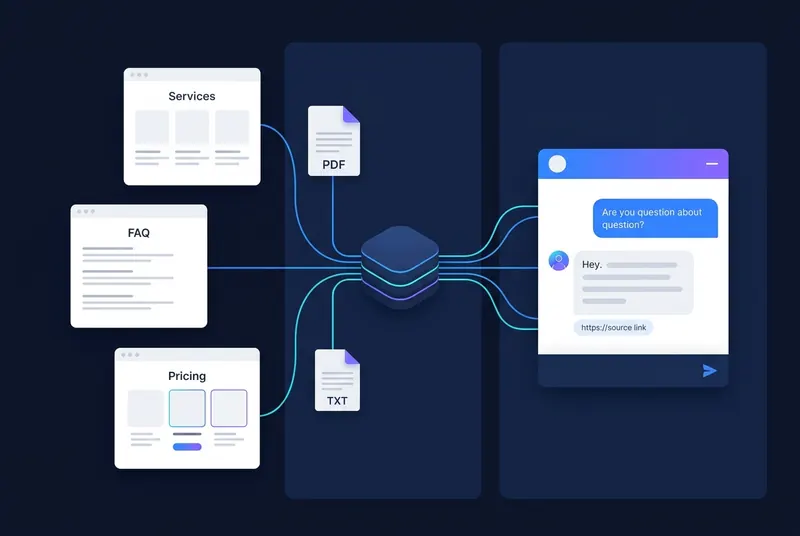 How to Add an AI Chatbot to Your Website Using Your Own ContentLearn how to add an AI chatbot to your website using your existing pages and documents, how it works, and what to check before publishing.