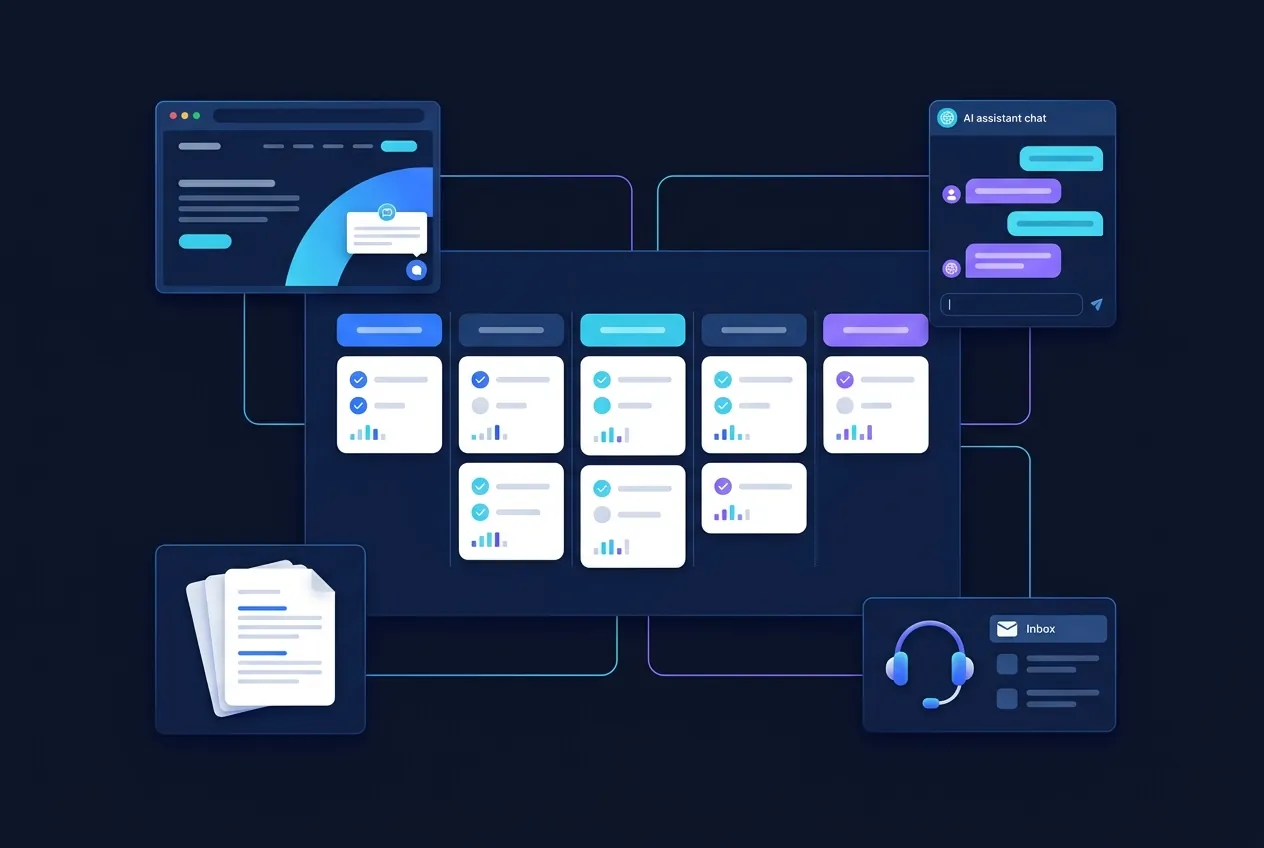
Choosing a chatbot platform is harder than it looks, because tools that all call themselves "AI chatbots" are built for very different jobs. Some answer website questions from your own content. Others are live chat tools with AI added, full help desks priced per support agent, or developer platforms for building custom AI agents.
The short answer: match the platform to the job. If you mainly need a website assistant that answers questions from your pages and documents, a focused, low-cost tool is usually enough. If people on your team chat with customers every day, choose live chat software with AI help. If you run a support team at scale, look at a full customer service platform. And if you have developers and need custom workflows, consider a builder.
Disclosure: this article is written by the ScoutBot AI Team, and ScoutBot AI is our own product. We evaluated it against the same criteria as the other six tools, listed the platforms alphabetically rather than ranking them, and stated ScoutBot's limitations as plainly as everyone else's. We have not run benchmark tests of competitors' answer quality. Information about other platforms comes from their official websites, pricing pages and help documentation, checked on November 14, 2026. Prices change often and usually exclude tax, so confirm them on each vendor's site before buying.
Quick comparison: 7 chatbot platforms at a glance
Starting prices are the lowest paid self-serve price we could verify on November 14, 2026. Several tools also have free plans, which are covered in each section below.
| Platform | Best for | AI knowledge sources | Website installation | Live chat / human handoff | Starting paid price | Biggest limitation |
|---|---|---|---|---|---|---|
| Botpress | Teams building custom AI agents and workflows | Knowledge bases from websites, files and tables | Embed script; real setup happens in a visual builder | Handoff supported via integrations and configuration | Plus: $150/mo billed annually ($189 monthly) | Steeper learning curve than plug-and-play tools |
| Chatbase | AI agents trained on business content | Websites, files, text and more | Embed script or integrations | Escalation options; not a full live chat suite | Basic: $150/mo ($120/mo billed annually) | No permanent free plan; credit-based usage |
| Crisp | Shared inbox and multichannel messaging | Knowledge base and AI agent (Hugo) on paid plans | Chat widget snippet and CMS plugins | Yes, live chat is the core | Mini: $45/mo per workspace | AI usage limited by monthly AI credits |
| Intercom | Established support teams | Help center content, documents and websites for Fin AI | Messenger snippet and integrations | Yes, full help desk | Essential: $29/seat/mo billed annually, plus $0.99 per Fin AI outcome | Costs grow with seats and AI resolutions |
| ScoutBot AI (our product) | Small businesses wanting an affordable website assistant | Up to 25 website pages, 5 PDF/TXT files, pasted text | One-line script plus a live install check | No live chat; email follow-up when it can't answer | Starter: $7.77/mo for 300 AI responses | One chatbot, one domain, no live agents or integrations |
| Tidio | Small online stores needing live chat plus AI | Lyro AI agent trained on your content | Widget snippet and ecommerce plugins | Yes, live chat with AI handoff | Starter: $33/mo (50 conversations) | Pricing scales with conversations; AI costs extra |
| tawk.to | Free live chat with optional AI | AI Assist add-on: instructions, documents, crawled pages | Widget snippet and plugins | Yes, free live chat | AI Assist Growth: $29/mo per property | AI is a separate add-on billed per property |
If you're still working out what a website chatbot should do for you, start with our guide to AI chatbots for small business websites, then come back to this comparison.
What is a chatbot platform?
A chatbot platform is software for creating, running and managing an automated chat assistant, usually on your website and sometimes on messaging apps too. Under that umbrella sit five quite different kinds of product.
Rule-based chatbots follow decision trees: buttons, keywords and scripted replies. They're predictable and good for routing ("Sales or support?"), but they can only handle what you scripted.
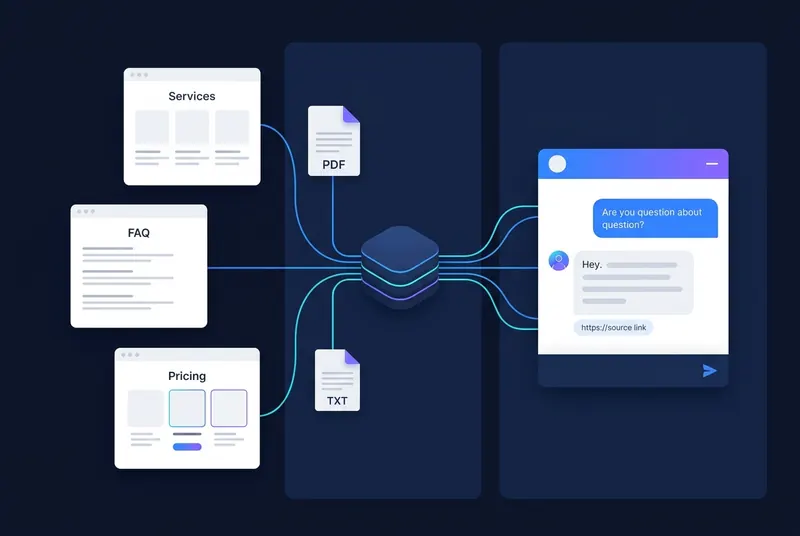
AI-powered website chatbots answer free-text questions using your own content. They typically retrieve the most relevant passages from your pages and documents and generate an answer from them. If you want the mechanics, we explain how website-trained AI chatbots work in a separate guide.
Customer service chatbot platforms combine an AI agent with a help desk: inbox, tickets, agent seats, reporting and handoff to humans. The chatbot is one part of a larger support system.
Omnichannel platforms bring website chat, email, WhatsApp, Instagram and other channels into a single inbox, with automation across them.
Developer-oriented builders give you building blocks: visual flows, code, APIs and integrations to design custom agents. They're powerful, but "can be built" isn't the same as "works out of the box".
These categories overlap, but each is designed around a different main job. Most buying mistakes come from choosing a product built for a different job than yours.
The 7 chatbot platforms compared
Platforms are listed alphabetically. Each section follows the same structure so you can compare like for like.
Botpress
Botpress is a platform for building AI agents. Its visual studio combines conversation flows, knowledge bases, custom code and integrations, and agents can be deployed to websites and messaging channels. It suits people who want control over how an agent behaves, not just what it knows.
- Best suited to
- Product teams, agencies and technically comfortable businesses building custom agents or multi-step workflows.
- Main strengths
- Flexible workflows, a visual builder, code where needed, multiple channels and a free plan to experiment with.
- Main limitations
- More to learn and configure than a plug-and-play website assistant. Good results depend on how well you design the agent.
- Pricing model
- Conversation-based. Free: 100 conversations/month. Plus: $150/month billed annually ($189 monthly) with 250 conversations and some AI usage included. Team: $750/month billed annually. Extra conversations are sold in packs.
- Choose it if
- You need custom logic, integrations or multiple channels, and someone can build and maintain the agent.
- Avoid it if
- You want a website FAQ assistant live in an afternoon with minimal configuration.
Chatbase
Chatbase lets you create AI agents trained on your business content, such as website pages, files and text, and deploy them as a website widget or through integrations. It's one of the better-known tools in the "AI agent on your own data" category and has grown towards a broader support-agent product with actions and analytics.
- Best suited to
- Businesses that want an AI agent grounded in their content, with more integrations and analytics than a basic widget.
- Main strengths
- Broad knowledge-source support, integration options, analytics, and access to several AI models.
- Main limitations
- No permanent free plan on its main pricing page at the time of checking, and the entry price is considerably higher than simple website chatbots. Usage is metered in message credits.
- Pricing model
- Message credits. Basic: $150/month ($120/month billed annually) with 4,000 message credits. Business: $500/month ($400/month billed annually) with 15,000 credits. Enterprise is custom. A 7-day trial is offered.
- Choose it if
- You need a capable AI agent with integrations and expect enough volume to justify the plan.
- Avoid it if
- Your budget is tight and you only need a few hundred website answers a month.
Crisp
Crisp is a customer messaging platform built around a shared inbox. Website chat, email and, on higher plans, channels such as WhatsApp and Instagram arrive in one place. Its AI agent, Hugo, can answer customers using your content, and higher plans add a knowledge base, workflows and ticketing.
- Best suited to
- Small teams that talk to customers every day and want chat, email and other channels in one inbox.
- Main strengths
- A genuine shared inbox, a free plan for basic chat, flat per-workspace pricing rather than per-seat, and multichannel options.
- Main limitations
- AI answering depends on monthly AI credits ($5 on Mini, $25 on Essentials). Many features are tied to higher plans.
- Pricing model
- Per workspace. Free: $0 (2 seats, no AI credits). Mini: $45/month. Essentials: $95/month. Plus: $295/month. AI usage beyond the included credits requires pay-as-you-go.
- Choose it if
- Human conversations are central to your support and you want AI to help rather than replace them.
- Avoid it if
- You don't plan to staff the inbox and only need automated website answers.
Intercom
Intercom is a full customer service platform: help desk, inbox, help center, reporting and Fin, its AI agent. Fin answers from your support content and hands off to human agents. It's designed for organizations with dedicated support teams and established processes.
- Best suited to
- Growing and established companies with support teams, ticket volume and a help center.
- Main strengths
- A deep support feature set, mature AI agent capabilities, workflows, reporting, and Fin can also work alongside some other help desks.
- Main limitations
- Total cost can be hard to predict, because seats and AI outcomes both add up. It's more than a small website usually needs.
- Pricing model
- Per seat plus usage. Essential: $29/seat/month billed annually ($39 monthly). Advanced: $85. Expert: $132. Fin AI Agent: $0.99 per outcome (for example, a resolution), charged at most once per conversation.
- Choose it if
- You run a real support operation and need a help desk with AI built in.
- Avoid it if
- You're a solo business owner wanting a simple, low-cost website assistant.
ScoutBot AI (our product)
ScoutBot AI is an affordable AI website chatbot for small businesses. You connect your website, upload documents and paste extra information; ScoutBot answers visitor questions from that content and links to the source pages when available. It's focused on knowledge-based website answers. It is not a help desk or an omnichannel messaging system.
- Best suited to
- Small businesses, website owners and agencies that want a simple website assistant grounded in their own pages and documents.
- Main strengths
- Low, flat price; answers grounded in your content with source links; brand customization (name, colours, welcome message, tone, instructions); conversation history; one-line installation with a live install check; email follow-up and a leads inbox when it can't answer.
- Main limitations
- One chatbot and one website domain per account. Up to 25 indexed pages and 5 PDF/TXT documents. 300 AI responses per month, after which AI answers pause until the next period. No live human chat, no CRM or booking integrations, no order lookups, and website only (no messaging apps).
- Pricing model
- Flat monthly. Starter: $7.77/month for 300 AI responses. New accounts get 20 free trial responses.
- Choose it if
- You want an affordable website chatbot that answers from your own content and passes unanswered questions to you by email.
- Avoid it if
- You need live agents, several channels, integrations with your business systems, or high monthly volume.
Tidio
Tidio combines live chat with Lyro, its AI agent, and is popular with small online stores. Lyro tries to resolve questions first and hands the conversation to your team when needed. Tidio also has ecommerce integrations and plugins for common store platforms.
- Best suited to
- Small and mid-sized online shops that want live chat and AI answers in one tool.
- Main strengths
- Live chat and AI together, ecommerce focus, a free plan to start with, and up to 10 agent seats on the lower paid plans.
- Main limitations
- Pricing is based on monthly conversations, and enabling Lyro AI raises the price of a given quota. The free plan's AI allowance is a one-time 50 Lyro conversations.
- Pricing model
- Conversation quotas. Free: 50 human-handled conversations/month. Starter: from $33/month for 50 conversations. Growth: from $63/month for 100. Plus: from $300/month. Premium: custom.
- Choose it if
- You run an online store and want staff to chat with shoppers, with AI covering routine questions.
- Avoid it if
- You don't need live chat and want the lowest cost for automated answers only.
tawk.to
tawk.to is best known for free live chat. The core chat widget, ticketing and agent apps are free, and the company earns money from optional add-ons. AI features come through the paid AI Assist add-on, including an AI agent (Apollo) that can answer FAQs from instructions, documents and crawled pages and escalate to humans.
- Best suited to
- Businesses that want free live chat and are prepared to staff it, with optional AI on top.
- Main strengths
- Free live chat with unlimited agents, a large plugin ecosystem, and an AI add-on with a free Hobby tier.
- Main limitations
- AI is a separate add-on billed per property. Message credits are consumed per AI reply (3 credits per reply on the default model), so included credits cover fewer replies than the headline number suggests.
- Pricing model
- Live chat: free. AI Assist: Hobby free (100 message credits, up to 100 crawled pages). Growth: $29/month (1,000 credits, 500 pages). Business: $99/month. Enterprise: $399/month.
- Choose it if
- Live chat with humans is your priority and you want to start for free.
- Avoid it if
- You won't monitor the chat and the free live chat is the main reason you're considering it.
Which chatbot platform is best for different business types?
| Situation | Good fits | Why |
|---|---|---|
| Small business wanting an affordable website chatbot | ScoutBot AI, tawk.to AI Assist | Low cost, answers from your website content, quick setup. |
| Ecommerce store needing customer service | Tidio, Crisp | Live chat plus AI, and ecommerce integrations (Tidio). |
| Business needing live human support | tawk.to, Crisp, Tidio | Built around human conversations, with free or low-cost entry plans. |
| Enterprise or large support operation | Intercom | Help desk, workflows, reporting and an AI agent priced per outcome. |
| Developer building a custom AI agent | Botpress | Visual flows, code, integrations and multiple channels. |
| Agency setting up chatbots for clients | Botpress for custom builds; Chatbase or ScoutBot AI for content-based website assistants | Depends on whether clients need custom workflows or a simple, maintainable assistant. |
What features should you look for in chatbot software?
Judge features against your real use case, not against the longest feature list. A five-person bakery and a SaaS support team need different things.
- AI answer quality. Test with your real customer questions. Look for answers grounded in your content and an honest "I don't know" when the answer isn't there.
- Knowledge sources, document uploads and website crawling. Check which sources are supported (pages, PDFs, pasted text, help center articles) and how many pages or files are included.
- Source references. Links to the page an answer came from make answers easier to trust and errors easier to find.
- Easy installation. A copy-and-paste snippet or plugin should be enough for a standard website.
- Customization. Name, colours, welcome message, tone and instructions.
- Conversation history, so you can review what visitors asked and how the bot answered.
- Usage limits. Responses, conversations, credits or resolutions per month, and what happens when you hit the limit.
- Live chat and human escalation, if you'll staff the chat, or at least a way to collect contact details for follow-up.
- Security and privacy. Where data is processed, who can access conversations and how to delete data.
- Transparent pricing that lets you estimate a realistic monthly bill before you commit.
How much does chatbot software cost?
Vendors measure usage differently, so headline prices are hard to compare directly. These are the main models, with current examples from the tools above (checked November 14, 2026):
| Pricing model | How it works | Example |
|---|---|---|
| Flat monthly subscription | Fixed price with a fixed allowance | ScoutBot AI: $7.77/month for 300 AI responses |
| Per-agent (per-seat) pricing | You pay for each team member using the inbox | Intercom: from $29/seat/month billed annually |
| Per-conversation pricing | Plans include a number of conversations | Tidio: Starter from $33/month for 50 conversations; Botpress Plus includes 250 |
| Per-resolution (per-outcome) pricing | You pay when the AI resolves an issue | Intercom Fin: $0.99 per outcome |
| AI credit systems | Credits are consumed per AI reply or by AI spend | Chatbase: 4,000 message credits on Basic; tawk.to AI Assist: 1,000 credits on Growth; Crisp: monthly AI credits per plan |
| Enterprise contracts | Custom pricing, volume commitments and extra security features | Chatbase Enterprise, Tidio Premium, Intercom (sales-led) |
The number that matters is cost per useful answer at your volume. A tool that looks cheap may include very few AI replies, and a pricier tool may be the cheaper option once you add live agents you would otherwise pay for elsewhere. Write down your expected monthly questions, then calculate what each plan would actually cost.
AI chatbot vs. traditional live chat
| AI chatbot | Traditional live chat | |
|---|---|---|
| Who answers | Software, from your content | A person on your team |
| Availability | Any time | When someone is online |
| Strengths | Instant answers to repeated factual questions, consistent wording | Judgement, empathy, negotiation and complex problems |
| Weaknesses | Limited to what its sources contain; needs testing and review | Staffing cost; slow or unavailable outside working hours |
| Running cost | Subscription and usage | Staff time (the software can be free, as with tawk.to) |
Choose traditional live chat if conversations are complex or sales-driven and someone can respond quickly. Choose an AI chatbot if most questions are factual and already answered somewhere on your site. Combine both if you have staff but want AI to handle routine questions first. Move to a full customer service platform once you have a support team, ticket volume and reporting needs. AI doesn't replace human support; at its best, it frees people for the conversations that need them.
Common mistakes when choosing a chatbot platform
- Buying enterprise software for a basic website. Per-seat help desks are excellent for support teams and overkill for a ten-page business site.
- Ignoring monthly response limits. Check what counts as a response, conversation or credit, and what happens when you run out.
- Failing to review knowledge sources. Outdated pages produce outdated answers, on any platform.
- Choosing on price alone. The cheapest plan is poor value if it can't do the job, and the priciest is poor value if you use 10% of it.
- Assuming every chatbot supports live agents. Some, including ScoutBot AI, deliberately don't. If you need human chat, confirm it.
- Ignoring privacy and data handling. Read how visitor conversations and your documents are processed and stored.
- Not testing unanswered questions. Ask things your content doesn't cover and check that the bot admits it rather than improvising.
- Assuming integrations exist. Order lookups, bookings and CRM sync are product-specific. Verify each one you need.
Final verdict: which chatbot platform should you choose?
There's no single best chatbot platform, only the best fit for your complexity, budget, channels and support model. Intercom suits established support teams. Crisp and Tidio are strong when people on your team chat with customers, Tidio especially for online stores. tawk.to is hard to beat if free live chat is the priority. Botpress rewards teams that want to build custom agents. Chatbase is a capable option for content-trained AI agents with integrations, at a higher entry price.
If you're a small business that mainly wants visitors to get accurate answers from your own website and documents, without live agents or a large monthly bill, ScoutBot AI is a practical option to test. You can see how it works on the ScoutBot AI homepage and try it with the free trial responses before deciding on the $7.77/month plan.
Frequently asked questions
What is the best chatbot platform for a small business?
It depends on the job. For automated website answers on a small budget, a focused website chatbot is usually enough. For live chat with customers, tools like Tidio, Crisp or tawk.to fit better. For a full support team, a platform like Intercom is designed for that. Test two or three options with your real customer questions.
What is the best AI chatbot software?
The best AI chatbot software is the one whose answers stay accurate on your content and whose pricing fits your volume. Look for grounded answers with source references, honest handling of questions it can't answer, clear usage limits and the channels you actually need.
Are chatbot platforms free?
Some have free plans with limits. tawk.to's live chat is free, and Crisp, Tidio and Botpress offer free tiers. AI features are usually limited or paid. Free plans are good for testing but often cap AI replies, seats or features.
What is the difference between a chatbot and live chat?
A chatbot answers automatically using software. Live chat connects visitors to a person on your team. Many platforms combine both: the AI handles routine questions and hands complex ones to a human.
Which chatbot platform is easiest to install on a website?
Most website chatbots install by pasting one script tag into your site or adding a plugin for platforms like WordPress or Shopify. The harder part is configuration: knowledge sources, testing and, for live chat tools, staffing.
Can an AI chatbot learn from my website?
Yes. Many AI chatbots can crawl your public pages and use them as a knowledge source. Usually the AI model isn't retrained; your content is indexed and searched when a visitor asks a question, so updating a page and re-indexing updates the answers.
Can chatbot software use PDF documents?
Many tools accept PDFs, which helps with price lists, menus and policies that aren't on your website. Check file limits and formats. For example, ScoutBot AI accepts up to 5 PDF or TXT files of up to 5 MB each.
How much does chatbot software cost?
Anywhere from free to hundreds of dollars a month or more. Pricing can be flat, per seat, per conversation, per resolution or credit-based. Compare what each plan includes at your expected monthly volume rather than the headline price.
Can chatbots answer customer questions automatically?
Yes, for questions whose answers exist in the chatbot's knowledge sources. Quality depends on your content, so test with real questions and review conversations regularly. Questions needing judgement should go to a person.
What is the best chatbot software for customer support?
For a dedicated support team, a customer service platform with a help desk, inbox, human handoff and reporting, such as Intercom, is usually the right category. Smaller teams often get what they need from Crisp or Tidio.
Do I need coding skills to build a website chatbot?
Usually not. Most website chatbots are configured in a dashboard and installed by pasting a snippet. Developer-oriented builders like Botpress can do much more, but take more time and technical comfort.
Can small businesses afford AI chatbot software?
Yes. Entry prices range from free tiers to a few dollars or tens of dollars a month. ScoutBot AI's Starter plan, for example, is $7.77/month for 300 AI responses. Budget for your own setup and review time too, not just the subscription.
Sources
- Botpress pricing (official)
- Chatbase pricing (official)
- Crisp pricing (official) and Hugo AI billing help article
- Crisp help: How Hugo AI pricing and billing works
- Intercom pricing (official)
- Intercom help: Fin AI Agent outcomes
- Tidio pricing (official)
- tawk.to: Why free
- tawk.to help: AI Assist plans and subscriptions
Product details reflect ScoutBot AI as of November 14, 2026. Pricing and limits are shown on the pricing section of our homepage.
Related article
 How to Add an AI Chatbot to Your Website Using Your Own ContentLearn how to add an AI chatbot to your website using your existing pages and documents, how it works, and what to check before publishing.