
It's 9:40 on a Tuesday evening. The owner of a small homeware shop is packing the day's orders, and her phone keeps buzzing. Someone wants to know if the oak shelves ship to Scotland. Someone else asks about the returns window, which is written on the returns page. A third person wants to complain about a parcel that arrived damaged. Tomorrow she'll answer all three emails between supplier calls, and the first two will take as long as the third.
That's the problem AI customer service is meant to solve. AI customer service is the use of artificial intelligence to answer, sort or assist with customer questions, for example by replying to common questions from your published information, suggesting draft replies to staff, or summarizing conversations. For a small business, it isn't about replacing people. It's about letting software handle predictable information requests so a person has time for the damaged parcel, the unhappy customer and the unusual order.
This guide is about the decisions, not one type of tool: which customer service tasks to automate, which to keep human, how to pick the right category of software, and how to tell whether it's actually helping.
Key takeaways
- AI customer service covers several different tools, from website assistants to helpdesk AI agents and phone automation. They aren't interchangeable.
- Automate questions with clear, documented and stable answers. Keep complaints, disputes, sensitive situations and judgement calls with people.
- Start with one repetitive, low-risk task, test it with real customer questions, and always keep a route to a human.
- Measure workload and unanswered questions, not just chat volume. A conversation isn't the same as a resolved problem.
- Compare included allowances and pricing models, not only the headline monthly price.
What is AI customer service?
AI customer service means using software that understands natural language to help customers or the people who serve them. Some tools talk to customers directly. Others work behind the scenes, helping staff answer faster. The term covers at least six quite different categories:
- Website AI assistants. A chat window on your website that answers visitor questions from your own pages and documents. Usually the simplest and cheapest place to start.
- AI-powered FAQ and self-service systems. A help center or knowledge base with AI search, so customers type a question and get the relevant article or a generated answer.
- AI agents inside helpdesk platforms. AI built into ticketing software that can answer, tag and route conversations, and sometimes take actions through connected systems.
- AI-assisted email and ticket responses. Tools that draft replies, suggest knowledge articles or summarize long threads for a staff member to review and send.
- Omnichannel customer service automation. Platforms that combine website chat, email, social messaging and sometimes WhatsApp into one queue, with AI working across them.
- Automated phone support. Voice systems that answer calls, understand spoken requests and either resolve simple ones or route the caller.
Vendors often describe all six as "AI customer service", which makes comparison hard. A website assistant that answers questions about your delivery policy is a very different product from a helpdesk AI agent that can look up an order and issue a refund. The second needs integrations, permissions and a support team behind it. The first needs good website content.
If the website assistant is the piece you're most interested in, our guide to AI chatbots for small business websites looks at that one component in depth. This article stays with the wider strategy.
Why small businesses are turning to AI customer service
Large companies adopt AI to cut the cost of big support teams. Small businesses usually have a different problem: there isn't a support team, just the owner and maybe one or two people who also do everything else. The pressure shows up in a few familiar ways.
- The same questions, again and again. A dog groomer answers "do you do nail trims without a full groom?" several times a week. Each reply takes a few minutes, and together they eat into the working day.
- Limited time and staff. Every minute spent answering a question the website already answers is a minute not spent on the work customers pay for.
- Visitors outside business hours. People research in the evening and at weekends. A contact form that promises a reply "within one business day" leaves them waiting until the morning.
- Information spread across pages. Prices on one page, the service area on another, cancellation terms in a PDF. The answer exists, but visitors can't find it.
- Slow replies to simple questions. A question that could be answered in ten seconds sits in an inbox for a day because the owner is busy.
- Inconsistent answers. Two staff members explain the deposit policy slightly differently, and the customer remembers the more generous version.
- Rising expectations. Customers are used to instant answers from large retailers and apply the same expectation to a three-person business.
None of this requires a large automation project. For many small businesses, the most useful change is getting simple, documented answers to customers quickly, and freeing up time for the conversations that need a person.
10 practical ways small businesses can use AI in customer service
Not every use below needs the same kind of software. We've noted which ones a website assistant can handle and which need integrations or a full support platform.
1. Answering frequently asked questions
Opening hours, delivery areas, what's included in a package. A website assistant can answer these from your FAQ and service pages. Tool needed: website assistant or AI FAQ system.
2. Helping visitors find information
A visitor asks "do you have anything for sensitive skin?" and gets a short answer with links to the right product pages, instead of searching menus. Tool needed: website assistant with source links.
3. Explaining services and products
A wedding photographer's site can explain the difference between the half-day and full-day packages in plain words, using the published package descriptions. Tool needed: website assistant.
4. Answering from published policies
Returns windows, cancellation fees, deposit rules. AI is useful here because the answer is written down, but only if the policy pages are current. Tool needed: website assistant or AI FAQ system.
5. Providing information outside opening hours
A visitor planning a Saturday visit at 11 pm on Friday can still find out whether you take card payments. Tool needed: any customer-facing AI tool, as long as it answers from your information.
6. Explaining product documentation
An equipment supplier can upload a care guide or specification sheet so customers can ask "how often should I re-oil this?" instead of reading a 20-page PDF. Tool needed: an assistant that accepts uploaded documents.
7. Suggesting answers to staff
When an email arrives, an AI tool drafts a reply from your knowledge base, and a staff member edits and sends it. Tool needed: AI-assisted email or helpdesk software that connects to your inbox.
8. Summarizing customer conversations
A long thread about a delayed custom order is condensed into a few lines, so whoever picks it up doesn't have to read 30 messages. Tool needed: helpdesk or agent-assist software.
9. Routing complicated requests to people
Some platforms detect complaints or urgent requests and send them to the right person or queue. This needs a platform that supports routing and someone to route to. Tool needed: helpdesk or omnichannel platform. A simpler website assistant may offer a contact or follow-up option instead.
10. Improving your knowledge base
The questions AI can't answer are some of the most useful data you'll get. If five people ask whether you offer gift wrapping and the assistant can't answer, you need a gift-wrapping sentence on your website. Tool needed: any tool that keeps conversation history you can review.
What should businesses automate with AI, and what should stay human?
This is the most important decision in AI customer service. A simple rule works well: AI is suited to questions whose answers are clear, documented and fairly predictable. People should handle anything that needs judgement, empathy, negotiation or accountability.
| Customer enquiry | AI suitability | Human involvement |
|---|---|---|
| Opening hours | High, if kept current, including holidays | Update the source when hours change |
| Published pricing | High for standard prices on your website | Review answers when prices change; never let AI invent discounts |
| Product specifications | High, from product pages and spec sheets | Check that documents match the current product version |
| Delivery policies | High for published zones, costs and timeframes | A person handles a specific late or lost delivery |
| Returns policies | High for explaining the published policy | A person decides on exceptions and individual returns |
| Basic service descriptions | High | Keep descriptions accurate and complete |
| Complex bespoke quotations | Low. AI can explain the process, not set the price | A person scopes the work and quotes |
| Complex complaints | Low. AI can acknowledge and share contact details | A person listens, investigates and resolves |
| Refund disputes | Not suitable for decisions | A person reviews the case and decides |
| Billing disagreements | Not suitable for decisions | A person checks records and corrects mistakes |
| Sensitive customer situations (health, bereavement, financial hardship) | Not suitable beyond pointing to a person | A person handles it with care and discretion |
| Urgent or safety-related requests | Not suitable. AI should direct people to the right contact or emergency service | An immediate, accountable human response |
The pattern is about consequences. If the assistant gets your opening hours wrong, someone arrives at a closed door, which is annoying but recoverable, and it's prevented by keeping the page current. If it mishandles a refund dispute or a safety concern, the damage to the customer and your reputation can be serious. And businesses are generally accountable for what their website tells customers: in 2024, a Canadian tribunal held Air Canada responsible for incorrect information its chatbot gave about bereavement fares (Moffatt v. Air Canada, 2024 BCCRT 149).
There's a middle ground too. For a quotation or complaint, AI can gather the basic facts, such as what the customer needs and how to reach them, so the person who responds starts with context. The decision still stays with a person.
Different types of AI customer service software
Once you know which tasks you want to automate, you can choose the right category of software. Here are five common categories.
| Category | Primary purpose | Typical business use | Channels | Human involvement | Complexity | Ideal customer |
|---|---|---|---|---|---|---|
| AI website chatbot | Answer visitor questions from website and document content | FAQs, policies, service and product information | Website | Reviews conversations, updates content, follows up when needed | Low | Small businesses with repeated website questions |
| AI helpdesk and ticketing | Manage, answer and track support requests | Support queues, order issues, refunds through integrations | Usually email and chat, often more | Agents work the queue; AI handles a share | Medium to high | Businesses with a dedicated support person or team |
| AI email support assistant | Draft or sort email replies | Busy shared inboxes | A person usually reviews and sends | Low to medium | Businesses where most support arrives by email | |
| AI agent-assist | Help staff answer faster | Suggested replies, summaries, knowledge lookup | Whatever the staff use | High, staff stay in control | Medium | Teams that want speed without customer-facing AI |
| Omnichannel platform | Unify every channel in one system | Chat, email, social, messaging apps and sometimes phone | Many | Agents across channels, with AI automation | High | Growing businesses with support on several channels |
Start with the problem, not the software. If most repetitive questions come through your website, a website chatbot may be enough. If customers email about specific orders, you need something that connects to your inbox and order data. If you're on six channels with a support team, an omnichannel platform makes more sense. Buying the biggest platform "to be safe" often means paying for features nobody configures.
How to introduce AI customer service into a small business
A gradual rollout is safer and cheaper than a big launch. AWS's guide for small businesses gives similar advice: start with a narrowly scoped use case and measure the impact before expanding (AWS, AI customer service guide for SMBs). Here's how to do that in practice.
Step 1: Review existing customer enquiries
Collect your last 30 to 50 customer questions from email, contact forms, social messages, phone notes and reviews. Write each one as a single line in a spreadsheet, in the customer's own words. Patterns appear quickly: you'll probably find that a handful of topics make up a large share.
Step 2: Categorize enquiries
Add a column and label each question: straightforward (the answer is published and the same for everyone), account-specific (needs their order or booking details), or sensitive or complex (complaints, disputes, exceptions). This one column tells you more about which tool you need than any product demo.
Step 3: Identify the best first use case
Choose one repetitive, low-risk task. "Answer questions about our services, prices and policies from the website" is a good first use case. "Handle all customer service" is not. A narrow start is easier to test, explain and fix.
Step 4: Prepare accurate knowledge sources
The AI can only be as accurate as the information you give it. Update service pages, product pages, policies and FAQs before connecting anything. Remove or fix outdated pages and old PDFs. If an answer only exists in your head, write it down. The questions you collected in Step 1 make a good FAQ page in their own right. Salesforce also recommends a self-service knowledge base as a foundation for small business customer service (Salesforce).
Step 5: Select suitable AI software
Write your requirements down before you look at products: channels, sources, whether you need integrations, budget and expected volume. Then shortlist two or three tools that fit and test them with the same questions. The buyer's checklist further down helps.
Step 6: Test the system
Ask the questions from your spreadsheet, worded the way customers wrote them, and check every answer against your source material. Also test questions it shouldn't answer, such as a custom quote or an angry complaint, and check that it declines politely and points to a person. If you want a detailed walkthrough of this stage for website assistants, see how to add an AI chatbot to your website using your own content.
Step 7: Keep a human support route
Visitors should always know how to reach a person: an email address, phone number, contact form or a follow-up option inside the chat. Say clearly that they're talking to an AI assistant. That's good practice anywhere, and the EU AI Act's transparency obligations require it in many cases as they phase in.
Step 8: Monitor and improve
Read conversations weekly for the first month, then monthly. Look for unanswered questions, answers based on outdated pages and topics people ask about that your website doesn't cover. Most improvements come from fixing content rather than changing settings.
How to measure whether AI customer service is actually working
A busy chat log doesn't prove anything. These measures give a more honest picture, and most need nothing more than a spreadsheet.
- First response time: how long customers wait for a first useful reply, before and after.
- Number of repetitive questions reaching your inbox or phone each month.
- Enquiries answered by AI: questions the assistant answered correctly, checked by reading a sample of conversations.
- Unanswered question rate: how often it couldn't help.
- Customer satisfaction: a simple question after support conversations, or patterns in reviews and replies.
- Human follow-up volume: how many conversations still needed a person.
- Cost per support interaction: tool cost plus staff time, divided by interactions.
- Staff time on recurring questions: the workload AI is meant to reduce.
Three simple formulas:
Estimated monthly hours on repeated questions = (repetitive enquiries × average minutes per response) ÷ 60
Unanswered question rate = questions the AI couldn't answer ÷ total questions asked × 100
Approximate cost per AI-answered question = monthly tool cost ÷ questions answered correctly
A hypothetical example, not a customer result: a bike repair shop gets about 60 repeated questions a month, each taking about 5 minutes. That's (60 × 5) ÷ 60 = 5 hours of workload a month. That figure measures the workload; it isn't a guaranteed saving. How much of it AI takes on depends on your content, your customers and how many still prefer to call.
One caution: a chatbot conversation is not automatically a resolved issue. Someone who asks a question, gets an answer and then phones you anyway wasn't helped. Read a sample of conversations rather than relying on totals, and watch whether repeat questions to your inbox actually go down.
What are the risks of AI customer service?
AI customer service has real risks. Most of them can be managed with simple habits.
- Incorrect answers. Language models can produce confident but wrong text. Reduce it: choose tools that answer from your own content, show source links and say "I don't know" when the information isn't there. Test before launch.
- Outdated knowledge sources. Last year's price list produces last year's prices. Reduce it: update sources whenever prices, hours or policies change, and re-index.
- Missing information. If a topic isn't documented, the AI either declines or, in poorly designed tools, guesses. Reduce it: write the missing answers and review unanswered questions regularly.
- Sensitive customer data. Customers may type personal details into a chat. Reduce it: only give the tool what it needs. Don't upload confidential documents, customer lists or unnecessary personal information. Data minimisation, using only the personal data necessary for a purpose, is one of the core principles of the GDPR (Article 5). The European Data Protection Board's data protection guide for small businesses is a practical starting point, including on the roles of controllers and processors when you use a software provider.
- Poor escalation. A customer stuck in a loop with an assistant that can't help is worse off than one who emailed. Reduce it: make a human route visible on every page and in the chat.
- Inappropriate automation. Automating complaints, disputes or sensitive situations can hurt customers. Reduce it: use the table above and keep high-consequence tasks with people.
- Overpromising. Telling customers "our AI handles everything" sets expectations the tool can't meet. Reduce it: describe what the assistant does in plain terms.
- Unclear responsibility. When the AI gets something wrong, who notices and fixes it? Reduce it: name one person responsible for reviewing conversations and maintaining content.
This is general information, not legal advice. If you handle sensitive data or operate in a regulated industry, check your obligations with a qualified adviser, and read each provider's privacy policy and terms before you connect it.
How much does AI customer service cost?
Prices vary widely because vendors charge for different things. These are the common pricing models:
- Monthly subscription: a fixed price with a fixed allowance. Easy to budget.
- Per-agent (per-seat) subscription: you pay for each staff member using the platform, typical of helpdesks.
- Per-conversation pricing: you pay per chat session, however long it is.
- Per-resolution pricing: you pay when the AI resolves an issue. For example, Intercom listed its Fin AI Agent at $0.99 per outcome, on top of seat-based plans (checked November 14, 2026, Intercom pricing).
- Usage-based AI credits: a pool of messages or credits consumed by AI replies. Flexible, but harder to predict.
- Enterprise contracts: custom pricing for large organizations, usually after a sales call.
Compare what's included, not just the headline price. A cheap plan with a small response allowance may cost more per answer than a pricier plan, and per-seat pricing grows with your team. Check what happens when you reach the limit: does the AI stop, slow down or bill you extra? And count your own time for setup and monthly review, which you'll spend whichever tool you choose.
For reference, ScoutBot AI Starter costs $7.77 USD per month for one chatbot on one website domain, with up to 300 AI responses per month. When the allowance is used up, the assistant stops generating new answers until the next period rather than charging extra. Our comparison of seven chatbot platforms for small businesses lists current prices for other tools.
What should small businesses look for in AI customer service software?
Use this checklist when you compare tools:
- Ease of installation: can you set it up without a developer?
- The right automation: does it do the tasks you identified, and not much you'll pay for but never use?
- Source information: can it use your website pages, documents and written notes?
- Control over answers: can you set instructions, tone and topics it shouldn't handle?
- Human escalation: what happens when the AI can't help?
- Website compatibility: does it work with your website builder and on mobile?
- Privacy and data handling: where is data processed, who can see conversations, and can you delete data?
- Usage limits: how many responses or conversations are included each month?
- Transparent billing: can you predict the monthly bill?
- Customization: name, welcome message, colours and tone that match your business.
- Reporting and conversation history: can you read what customers asked and how the AI answered?
- Integration requirements: do you need order lookups, bookings or a CRM, and does the tool genuinely support them?
Two businesses can reach opposite conclusions from the same checklist. A local accountant whose questions are mostly about services, fees and required documents may be well served by an inexpensive website assistant. An online store that handles hundreds of "where is my order?" emails needs a helpdesk connected to its store platform, and probably an omnichannel setup as it grows. Neither choice is wrong. It's the problem that decides.
How ScoutBot AI fits into a small business customer service strategy
ScoutBot AI covers one specific part of customer service: answering website visitors' questions using the business's own information. It's a website AI assistant, the first category in this article, aimed at businesses whose repetitive questions already have answers on their website or in their documents. The workflow:
- Connect your business website.
- ScoutBot indexes up to 25 public pages from that domain.
- Upload up to 5 PDF or TXT documents, such as a price list, brochure or policy document.
- Add extra business knowledge as text, such as FAQs that aren't on the website.
- Configure the assistant's name, welcome message, tone, personality and brand colour.
- Test real customer questions in the dashboard preview and check them against your sources.
- Install the chatbot with one line of code. The widget is locked to your website domain.
- Review conversation history and improve your content where answers were missing or weak.
Answers are grounded in the information you supplied, include links to source pages where available, and are capped at 500 tokens so they stay short. The assistant is available around the clock, which can reduce how many repetitive questions reach your inbox. The Starter plan includes 300 AI responses a month for $7.77 USD, and new accounts get 20 free trial responses. When it can't answer, it can offer the visitor a short email follow-up form with a consent checkbox, so the question reaches you.
What ScoutBot is not. It isn't a complete customer service helpdesk. It doesn't process refunds, look up live customer orders, create support tickets, answer phone calls, provide live chat with your staff, or manage WhatsApp or email support. It doesn't replace an employee. It answers questions from the information you give it, and a person handles the rest.
Who it suits: small businesses, local service providers, consultants and online shops whose most common website questions have documented answers and who want a predictable monthly cost. Who should look elsewhere: businesses that need order lookups, ticket queues, live human chat or support across several channels. A helpdesk or omnichannel platform is a better fit for those needs.
Frequently asked questions
What is AI customer service?
AI customer service is the use of artificial intelligence to answer, sort or assist with customer enquiries. It includes website assistants, AI-powered help centers, AI agents in helpdesk software, drafted email replies and automated phone systems.
How does AI customer service work?
Most tools combine a language model with a source of business information. When a customer asks something, the system finds the relevant information, such as a policy page, and writes a reply from it. More advanced platforms also connect to order, booking or account systems to take actions.
Can AI handle customer service for small businesses?
It can handle part of it. AI is well suited to repeated questions with documented answers, such as hours, prices, policies and service details. Complaints, exceptions and account-specific problems still need a person, so plan for both.
What customer service tasks can AI automate?
Common examples are answering FAQs, explaining products and services, pointing visitors to the right page, answering outside opening hours, drafting replies for staff, summarizing conversations and, on platforms that support it, routing requests to the right person.
Can AI customer service replace human support?
Not for a small business that cares about its customers. AI can reduce repetitive work, but people are needed for judgement, empathy, negotiation and accountability. The most reliable setups use AI as a first line with a clear route to a person.
What is the difference between an AI chatbot and AI customer service software?
An AI chatbot is usually one component: a chat interface that answers questions. AI customer service software is the wider category, which also includes helpdesks, ticketing, email assistance, agent-assist tools and omnichannel platforms. A chatbot can be part of a larger customer service setup.
Is AI customer service expensive?
It ranges from free tiers to enterprise contracts. Website assistants are often a low fixed monthly price, while helpdesks commonly charge per seat and sometimes per AI resolution. Compare included allowances and your own setup and review time, not just the headline price.
Can AI answer questions using my website content?
Yes. Website AI assistants, including ScoutBot AI, read your public pages and uploaded documents and answer from that content, often with links to the source page. Accuracy depends on how complete and current your content is.
How can a business prevent AI from giving incorrect answers?
Use a tool that answers from your own content rather than general knowledge, keep that content current, test with real customer questions before launch, set instructions for topics it shouldn't handle, and review conversations regularly. Nothing makes errors impossible, so keep a human route available.
Which businesses benefit most from AI customer service?
Businesses that receive many similar questions with documented answers, get visitors outside opening hours, or have information spread across many pages. Businesses where almost every enquiry is a custom quote or a sensitive conversation benefit less.
How do I start using AI for customer support?
Collect your last 30 to 50 customer questions, sort them into straightforward, account-specific and sensitive, and pick one repetitive, low-risk task to automate first. Update the content behind those answers, test a tool with real questions, then review results after a month.
What is the best AI customer service solution for a small business?
There isn't one best tool for everyone. The right choice depends on where your questions arrive, whether answers need account data, how many people answer customers and your budget. A website assistant suits documented website questions; a helpdesk suits order-specific support and multiple staff.
Conclusion: automate the predictable, keep people for the rest
AI customer service works best when it's used for the right jobs. Small businesses don't need a complicated automation system to benefit. Most can start by finding the questions customers ask again and again, making sure the answers are clearly written down, and letting AI deliver those answers quickly while people handle complaints, exceptions and anything that needs judgement.
Start with one repetitive, low-risk task, measure it honestly and expand only when it's clearly helping. If your most common questions arrive through your website, ScoutBot AI is one option to consider: an AI website assistant that answers from your own pages and documents, with source links and a predictable monthly price. You can test it with your real customer questions using the free trial responses.
Sources
- AWS, AI customer service guide: 7 steps for SMBs (2024)
- Salesforce, Customer service for small businesses
- Moffatt v. Air Canada, 2024 BCCRT 149 (Civil Resolution Tribunal, British Columbia)
- Regulation (EU) 2016/679 (GDPR), EUR-Lex
- European Data Protection Board, Data protection guide for small business
- European Data Protection Board, Data controller or data processor?
- EU AI Act, Article 50: Transparency obligations
- Intercom pricing (official, checked November 14, 2026)
Product details reflect ScoutBot AI as of November 25, 2026. Pricing and limits are shown on the pricing section of our homepage.
Related article
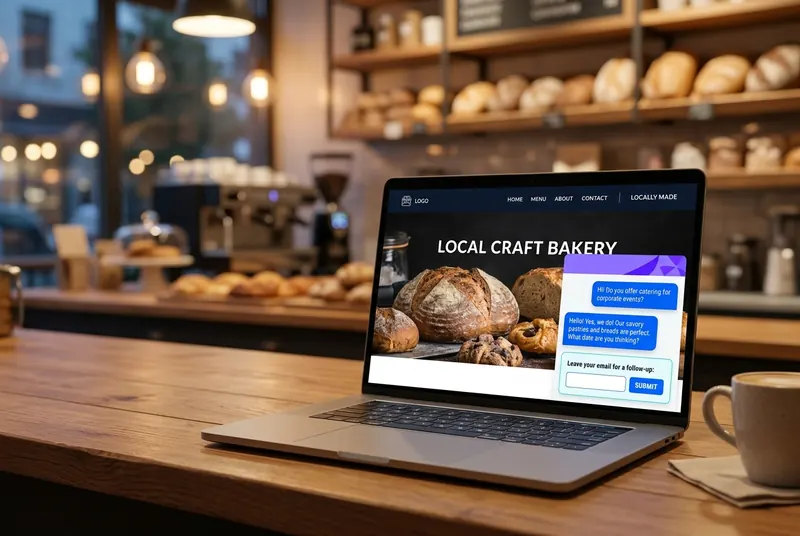 AI Chatbots for Small Business Websites: A Practical GuideDiscover how small businesses can use website AI chatbots to answer customer questions, improve enquiry handling and choose the right solution.